KANVAX: Kanban Board in 3 days
March 15, 2026
The Challenge: Create a Kanban in 3 days
I decided to take on a personal challenge: create a complete Kanban board in just 3 days. The result was KANVAX, a web application built with .NET 9, Blazor Server and MudBlazor that handles authentication, board management, tasks with drag & drop, and a full logs system.
Project Context
KANVAX was built to test how much can be accomplished in a short time with modern web technologies. The goal was to create a fully functional Kanban board with user accounts, collaborative boards and real-time interactions.
Inspiration: Trello and Milanote
Before writing a single line of code, I studied the two most popular tools on the market:
- Trello: The industry standard. Its simplicity lies in its minimalist approach.
- Milanote: A more visual and creative tool, perfect for design teams.
I wanted to combine the best of both: Trello's simplicity with a touch of Milanote's visual elegance.
Technologies Used
The tech stack I chose was:
- .NET 9: The latest version of Microsoft's framework
- Blazor Server: To create an interactive experience without JavaScript
- MudBlazor: Material Design UI components for Blazor
Features Implemented
✓ Authentication
Registration and login with localStorage persistence.
✓ Board Management
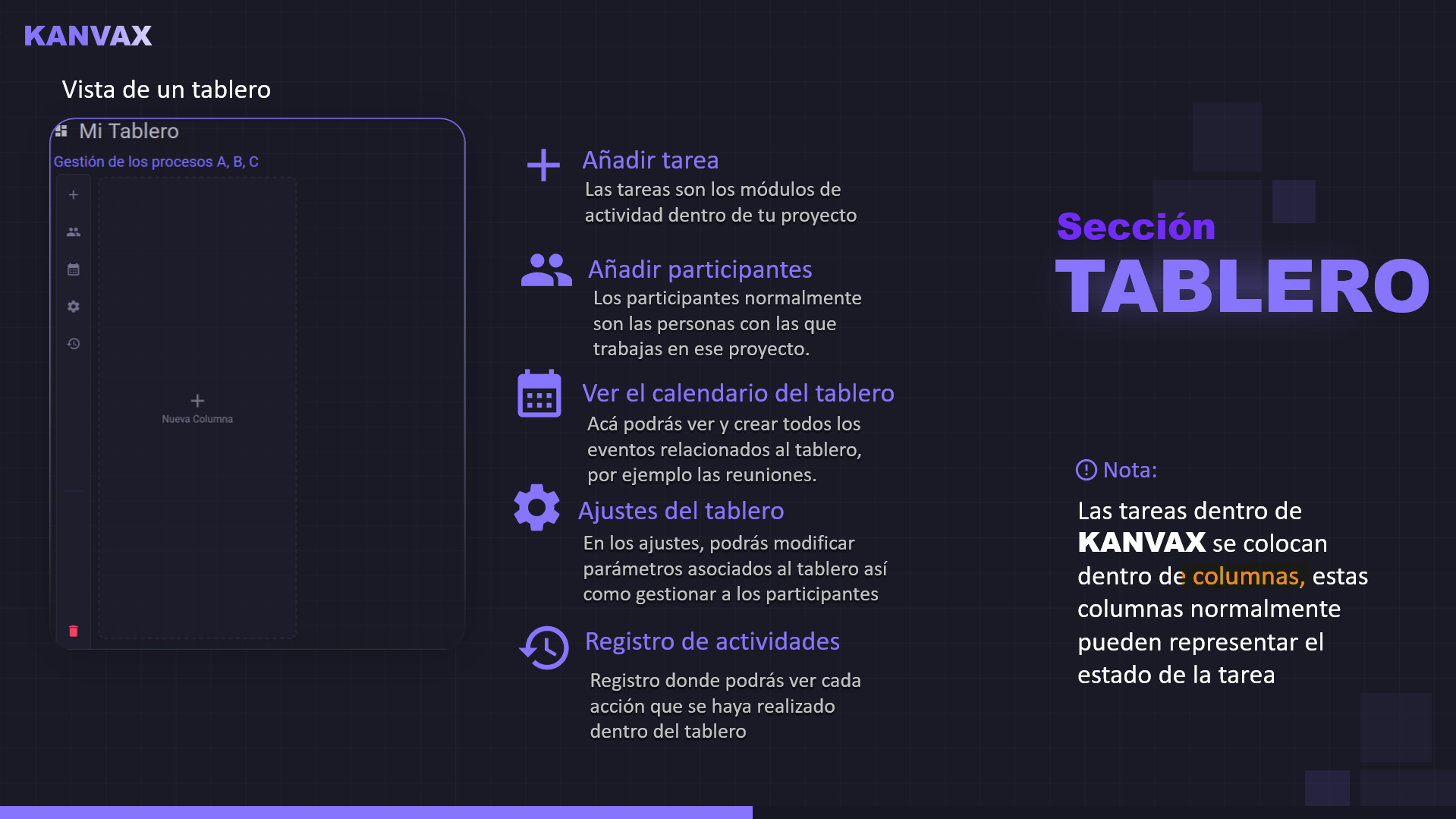
Multiple boards per user, participant system and dedicated URLs per board.
✓ Complete Kanban
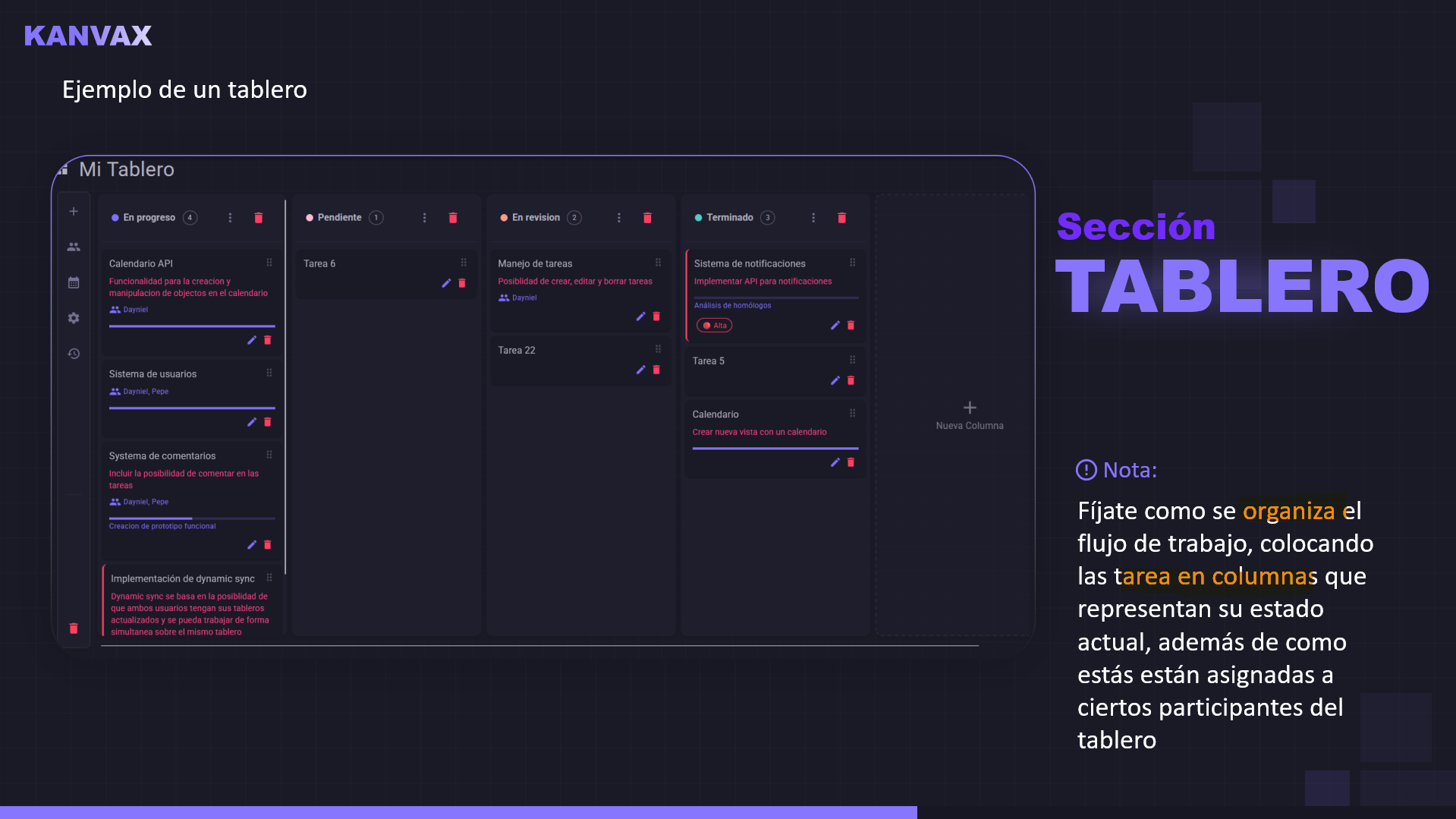
Customizable columns, tasks with title, description, priority, and drag & drop to move tasks between columns and reorder columns.
✓ Logs System
Record of all operations with table view and filters.
✓ Windows 11 Style UI/UX
Modern design with MudBlazor components, optimistic updates and sync status bar.
The Code
The project structure follows a clean architecture:
KANVAX/
├── Components/
│   ├── Pages/          # Razor pages
│   ├── Dialogs/        # Dialog components
│   └── Services/       # Business logic
├── Models/             # Data models
└── Program.cs          # Entry point
The code is available on GitHub and was produced in collaboration with OpenCode, an AI tool that assisted me throughout the process.
Lessons Learned
- Planning is key: Before coding, I defined the minimum viable scope.
- MudBlazor accelerates development: Prefabricated components save hours of work.
- Blazor Server is powerful: Allows creating interactive apps without writing JavaScript.
- Drag & drop is challenging: Implementing reorder support in Blazor requires creativity.
Conclusion
KANVAX demonstrates that with the right tools and a good plan, it's possible to create complete applications in record time. The project was a success and now serves as a basis for future experiments.
Do you have questions about the project? Want to contribute? Write to me!